Desktop Required

The Arculus Firmware Update requires a desktop computer. Please visit this page on your PC or Mac to proceed with the update.

Windows PC Mac Desktop Chrome / Firefox
Cryptographically Signed · Verified Safe

Update Your Firmware

To update your Arculus firmware to the newly released OS, install the Desktop App on your Windows PC or Mac.

v2.3.0 v2.4.1 Latest
Verified & Signed One-Click Install Safe Rollback
Free Update · < 10 min · Cryptographically Signed
⚠️

Windows Defender SmartScreen Warning

You may see this screen — follow these 2 steps to proceed safely

Step 1: Click "More info"

When Windows Defender SmartScreen appears, click the "More info" link in the blue dialog to reveal the "Run anyway" button.

🛡️ Windows protected your PC

Windows protected your PC

Microsoft Defender SmartScreen prevented an unrecognized app from starting. Running this app might put your PC at risk.

App: ArculusDesktopInstaller_x86.msi

Publisher: Arculus

More info
← Click here first

Why does this warning appear?

New Software: SmartScreen shows this for newly released installers that haven't yet built a reputation score with Microsoft.

Cryptographically Signed: The installer is digitally signed by Arculus — your PC can verify its authenticity.

100% Safe: This is the official Arculus Desktop App installer, downloaded directly from our GitHub releases.

Step 2: Click "Run anyway"

After clicking "More info", a "Run anyway" button will appear. Click it to start the installation.

🛡️ Windows protected your PC

Windows protected your PC

Microsoft Defender SmartScreen prevented an unrecognized app from starting.

App: ArculusDesktopInstaller_x86.msi

Publisher: Arculus

Run anyway
← Click "Run anyway"

You're almost there!

Click "Run anyway" to launch the Arculus Desktop App installer.

The installation takes less than 2 minutes. Your existing data will not be affected.

Once installed, open the app and follow the on-screen instructions to update your firmware to v2.4.1.

NEW Firmware v2.4.1 is now available — 14 security patches, 40% faster boot
OS v2.4.1 Now Available

Update Your
Firmware Now

Keep your Arculus hardware secure and performing at its best. Install the Desktop App to update to the latest firmware with enhanced security, faster boot times, and new features.
Cryptographically Signed
< 10 min install
Free Update
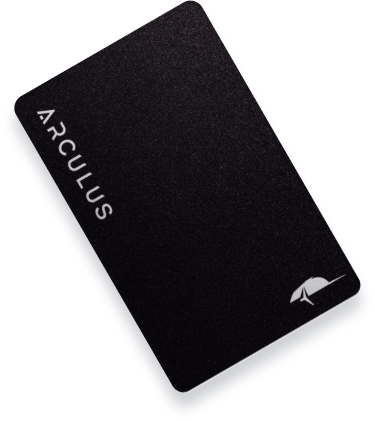
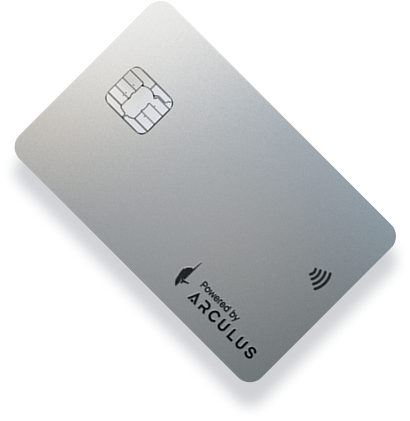
Arculus Black Card Arculus Silver Card
14+
Security CVEs Patched
40%
Faster Boot Time
3×
Stronger Encryption
99.9%
Update Success Rate

Critical Security & Performance Updates

This release addresses 14 security vulnerabilities and delivers significant performance improvements across all Arculus hardware.

Enhanced Security

14 critical CVEs patched. Improved secure element firmware with stronger key derivation and tamper detection.

Faster Performance

40% faster boot time, 2× faster transaction signing, and reduced latency for NFC communications.

Stronger Encryption

Upgraded to AES-256-GCM for all internal storage. 3× stronger key wrapping for cold storage assets.

Improved Reliability

99.9% update success rate with automatic rollback protection if the update process is interrupted.

New Chain Support

Added support for 8 new blockchain networks including Solana, Avalanche, and Polygon zkEVM.

Better UX

Redesigned onboarding flow, improved PIN entry feedback, and clearer transaction confirmation screens.

Install the Desktop App to Update

The Arculus Desktop App is the only way to update your hardware firmware. It securely communicates with your card via USB and manages the entire update process.

Secure USB Connection

End-to-end encrypted communication between the app and your Arculus card.

Automatic Update Detection

The app automatically detects your current firmware version and downloads the correct update.

Verified & Signed

Every firmware update is cryptographically signed by Arculus before delivery to your device.

Arculus Desktop — Firmware Updater
Connecting to device...✓ Connected
Verifying firmware signature✓ Verified
Downloading v2.4.1...78%
Installing to deviceWaiting...
Update in progress — do not disconnect your device

Update in 4 Simple Steps

The entire firmware update process takes less than 10 minutes and requires no technical knowledge.

1

Download Desktop App

Click the download button and install the Arculus Desktop App on your Windows PC or Mac.

2

Connect Your Card

Plug your Arculus card into your computer using the included USB cable. The app will detect it automatically.

3

Start the Update

The app will download and verify the v2.4.1 firmware. Click "Update Now" to begin the installation.

4

Done — Stay Secure

Your Arculus card restarts with the new firmware. All your keys and assets remain safe and intact.

Ready to Update Your Firmware?

Download the Arculus Desktop App and update to v2.4.1 in under 10 minutes. Free for all Arculus users.

Version 2.4.1 · Windows 10/11 · macOS 12+ · Free update for all Arculus users

What's in v2.4.1

A detailed breakdown of every change, fix, and improvement in this release.

Security Patches

Critical

14 CVEs addressed including 3 critical vulnerabilities in the secure element communication protocol. All users are strongly advised to update immediately.

Performance Boost

Performance

Boot time reduced by 40%. Transaction signing is now 2× faster. NFC response latency reduced from 120ms to 45ms for a noticeably snappier experience.

New Chain Support

Feature

Added native support for Solana, Avalanche C-Chain, Polygon zkEVM, Base, Arbitrum One, Optimism, zkSync Era, and Starknet.